A quiet place
for what you keep.
An outliner that respects the file system — plain Markdown files you can read in fifty years, and an AI of your choosing can reason over today.
Free on the App Store · See how it works
On notes.
Most apps want to own your thoughts, locked in a database only they can read. Cairn is the opposite of that. Your notes live as plain files, in your own iCloud, on your own devices. Cairn is the place you arrange them, link them, and come back to them.
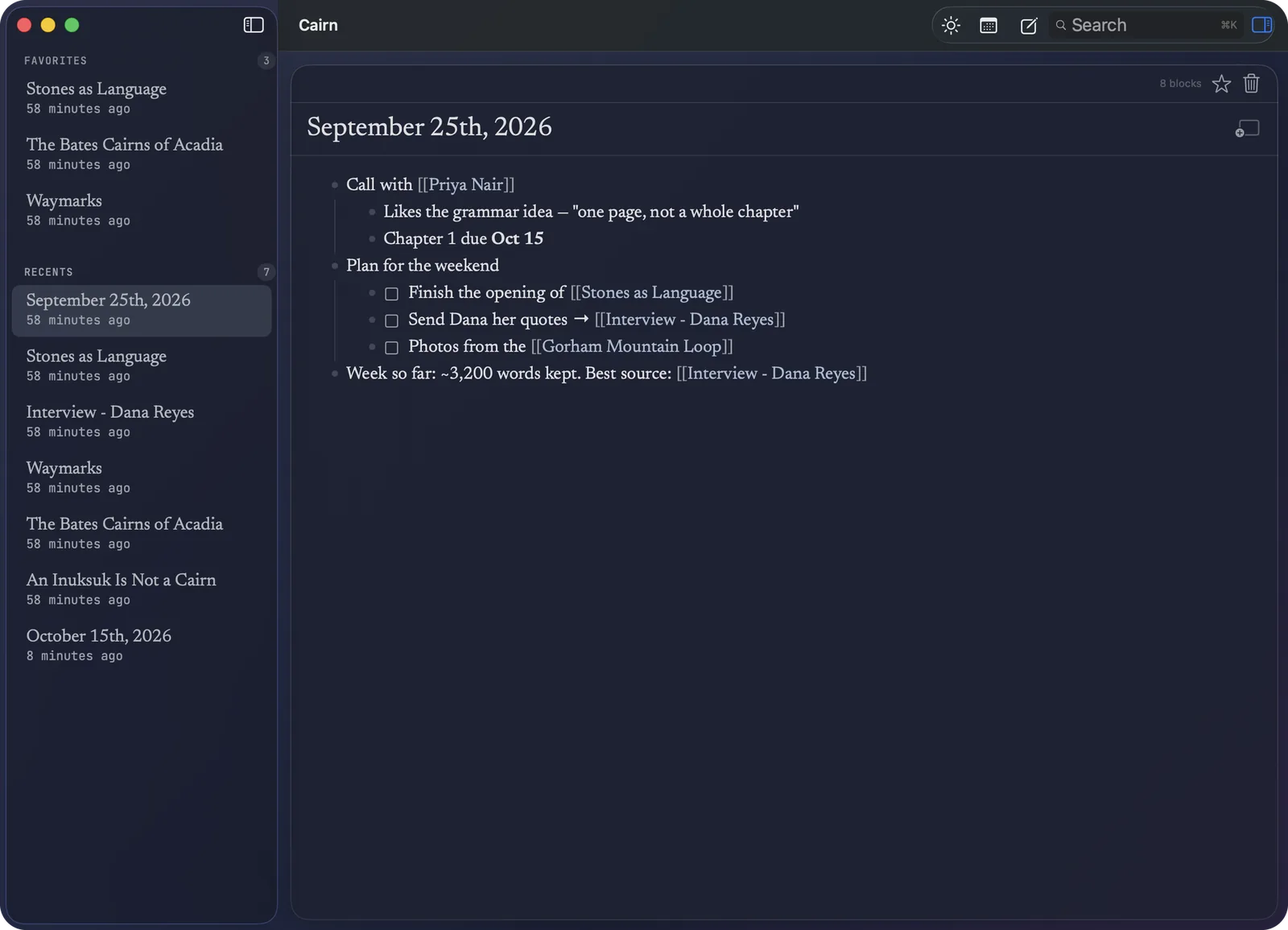
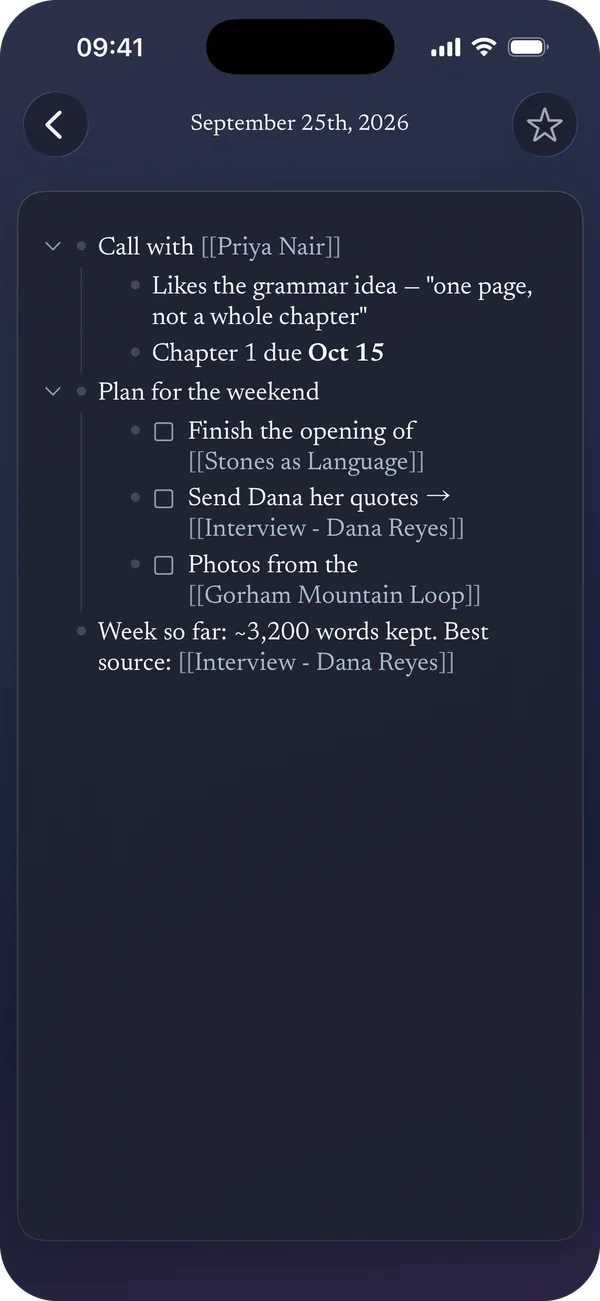
A page for every day.
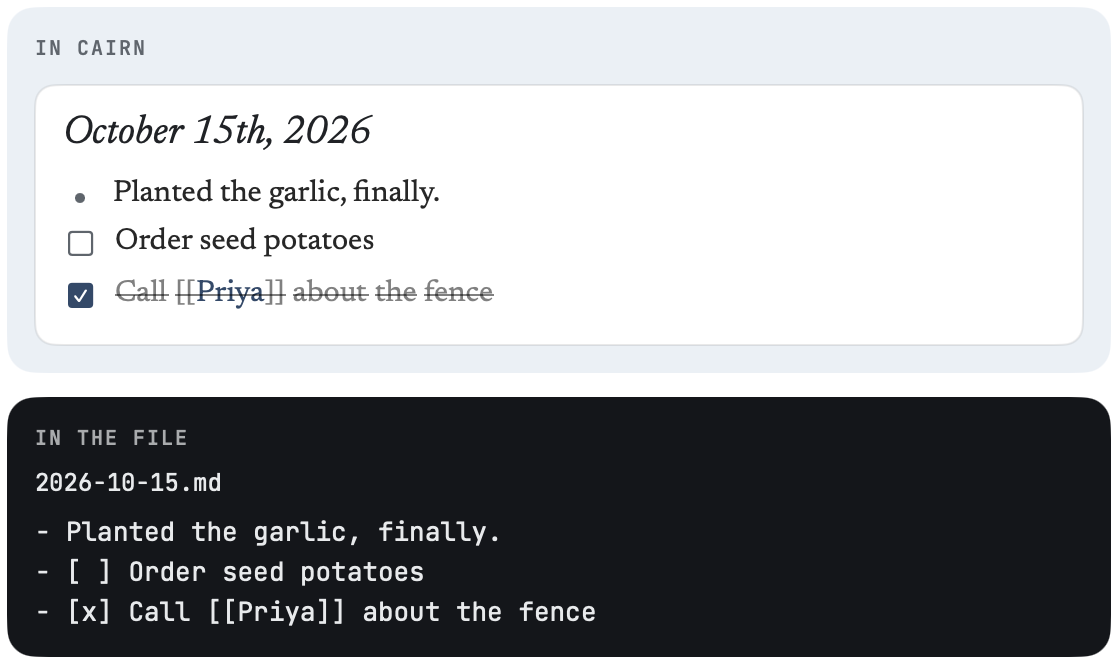
Each morning a fresh page is waiting. Jot things down, add to-dos, check them off.
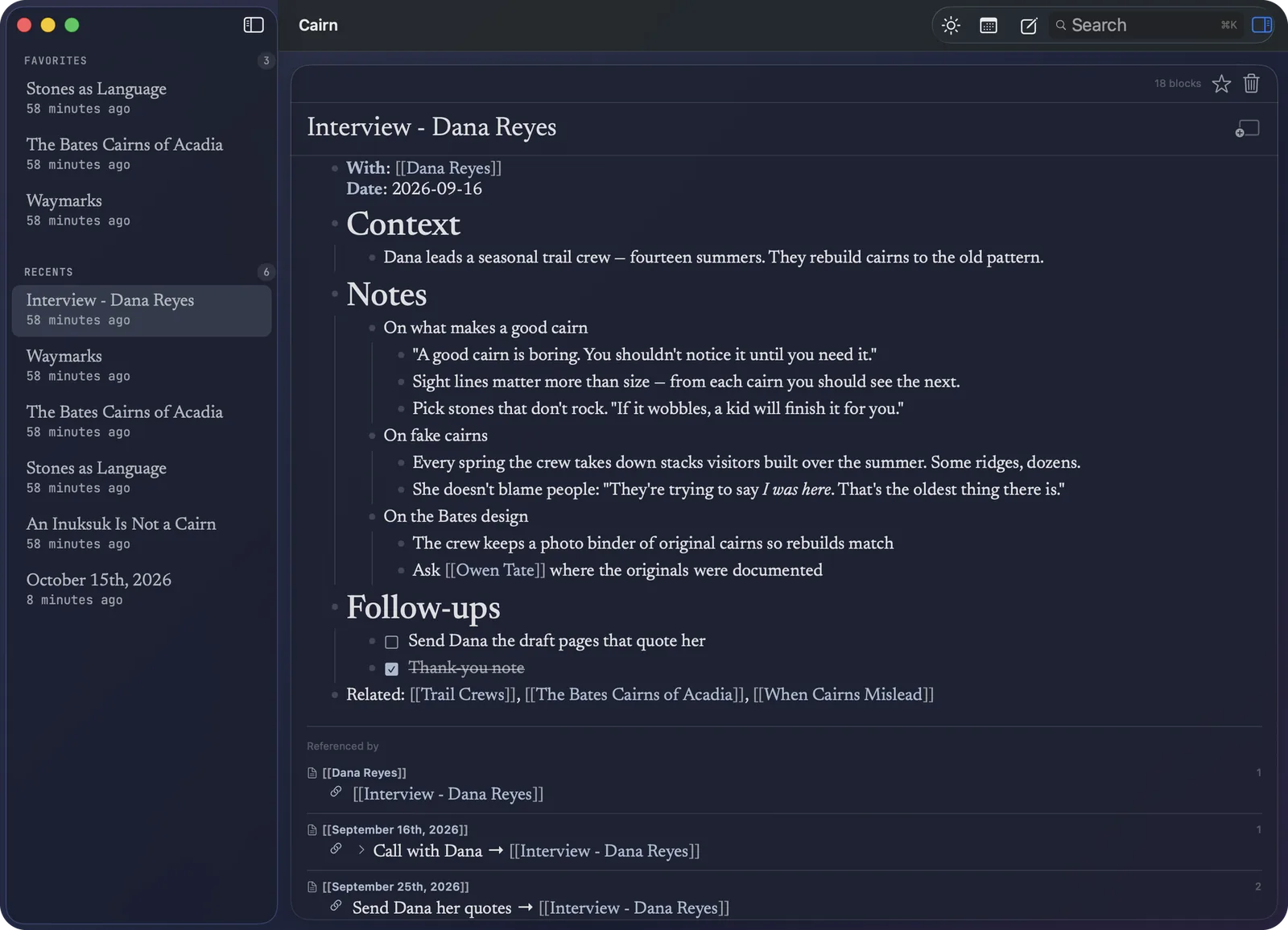
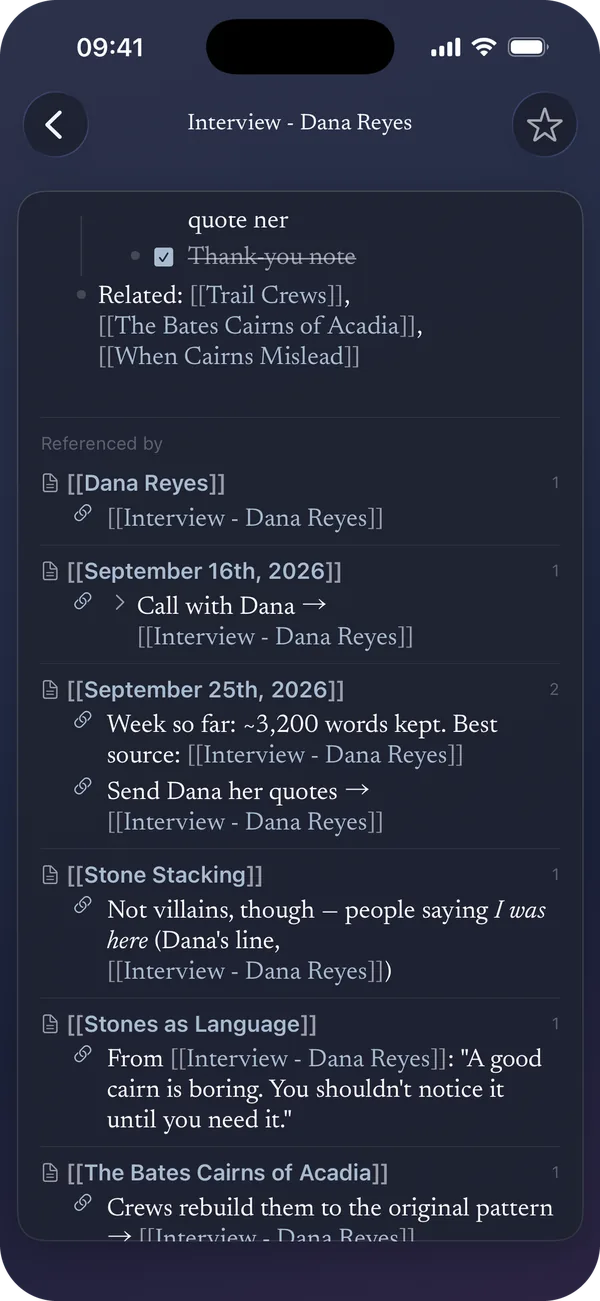
Connections build themselves.
Put a name in [[double brackets]] and it becomes a page. That page shows every place it’s mentioned.
Write it once. Show it anywhere.
Every line you write is a block. Show the same block on more than one page, change it anywhere, and every copy updates.
Think in space.
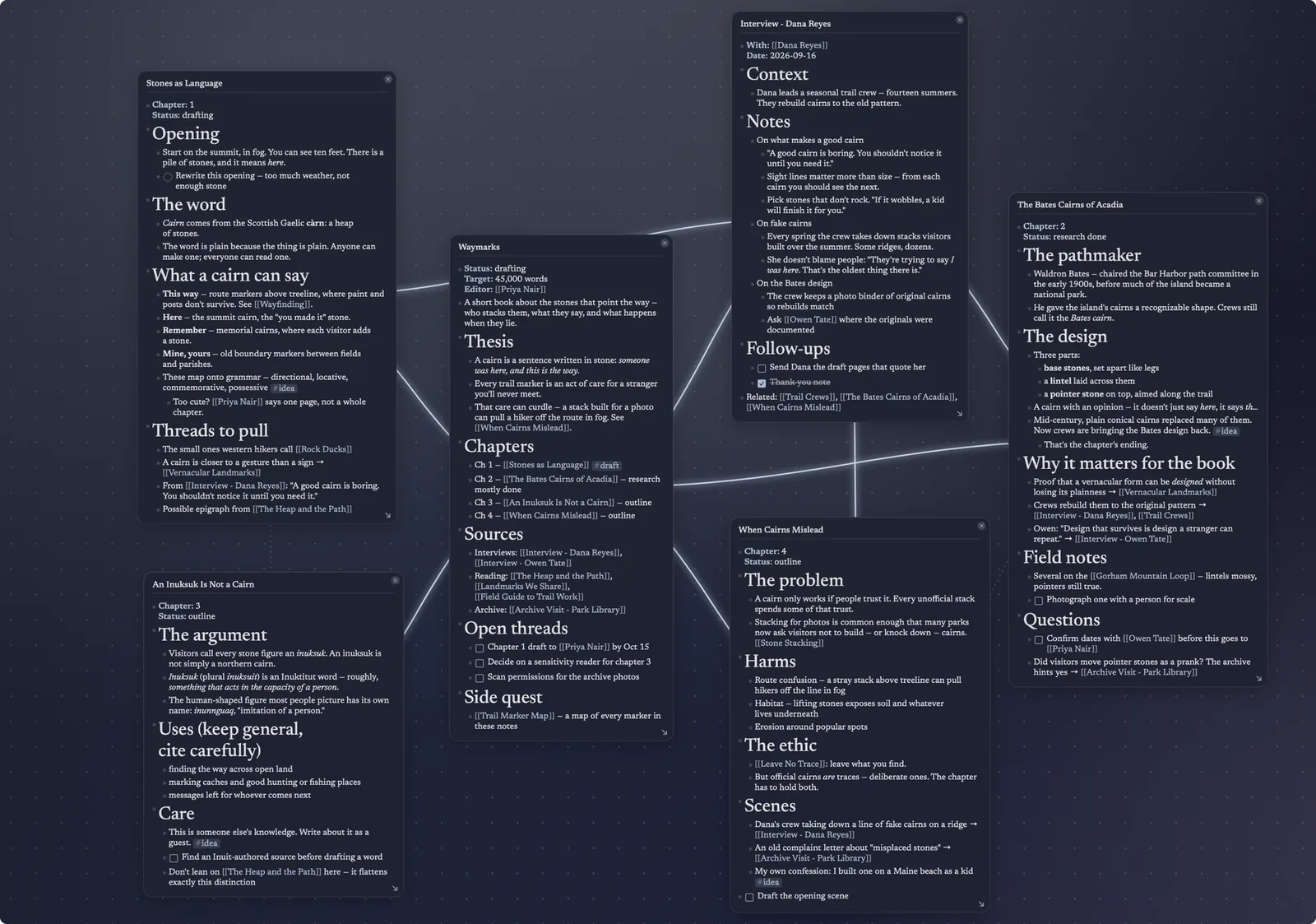
Lay out pages and blocks on an open canvas, and see the links drawn between them.
Bring your own AI.
Let an assistant you choose, like Claude or Cursor, search, read and add to your notes. It’s off until you turn it on in Settings → Cairn MCP Server. More about AI →
Yours to keep.
Every note is a file in your own iCloud. If Cairn disappeared tomorrow, your notes wouldn’t.
They’re plain Markdown, synced across Mac, iPhone and iPad: open any note in any editor, and walk away without losing a sentence. Bringing notes from another app? Cairn imports from Logseq →
Software should weather like a notebook,
not expire like a subscription.